How to Read the Chord Co-Occurrence Network (And What It Reveals About Trad Harmony)
Sometimes you don’t want to explore tunes. You want to explore harmony itself. The Chord Co-Occurrence Network in Trad Tune Explorer shows how chords connect across the entire library. Instead of mapping songs, it maps chords – and the relationships between them.
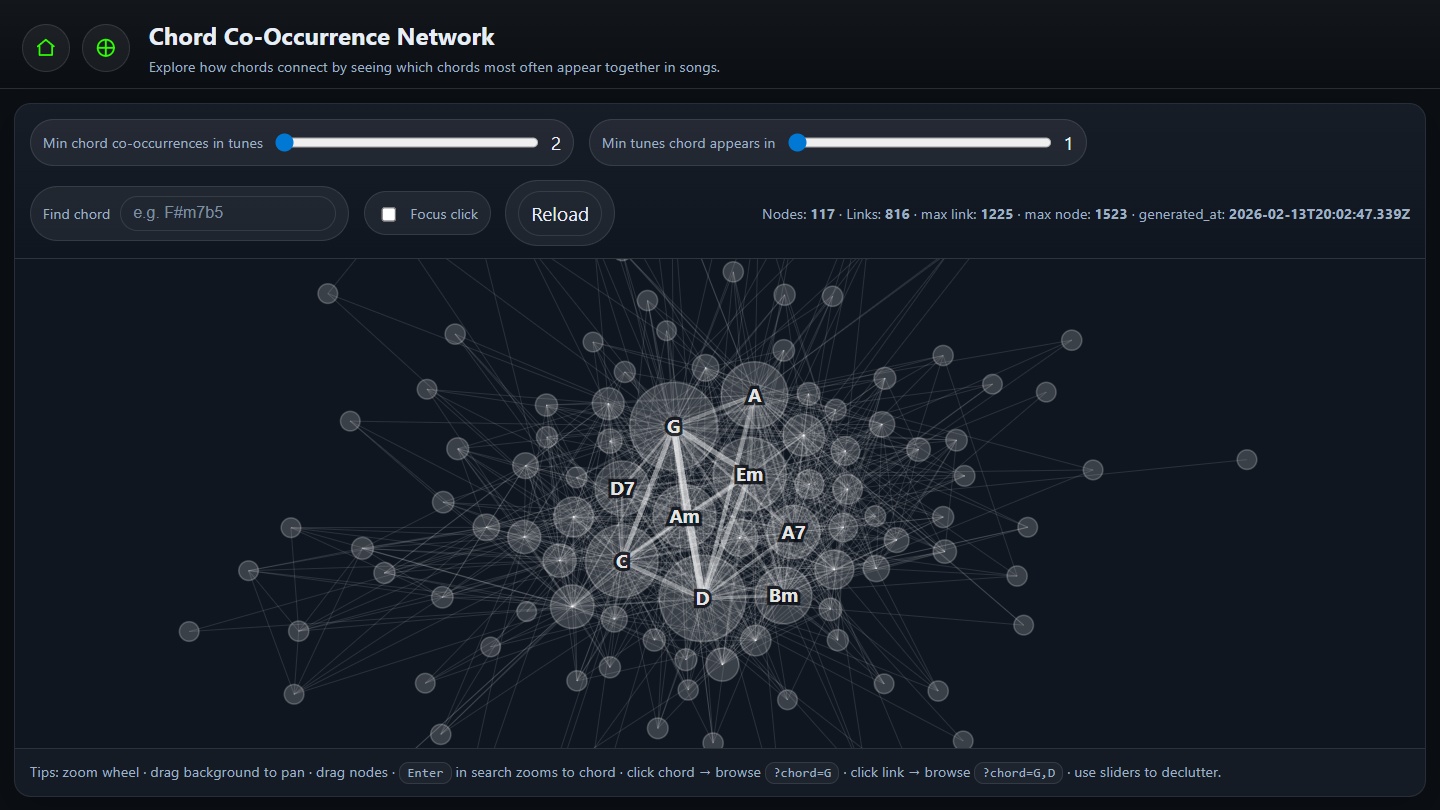
What the network actually shows
Each circle in the graph is a chord. Each line between two chords means the two chords appear together in at least X tunes (based on your threshold settings).
This is not about chord transitions in order. It’s about co-presence – chords that show up in the same tune, forming a shared harmonic context.
In simple terms:
- If G and D appear together in lots of tunes, they’ll have a strong connection.
- If two chords rarely appear in the same tune, their link will be weak or absent at higher thresholds.
How to read the map
1) Node presence
Chords that appear in many tunes tend to feel more central. They often sit in the dense middle of the graph. Think of these as the harmonic “workhorses”.
2) Distance
Chords that often appear together cluster closer. Clusters are like harmonic ecosystems – families of chords that commonly co-exist in the repertoire.
3) Links
A visible link means the pair co-occurs above your selected threshold. Fewer links = stricter filtering. More links = a dense harmonic web.
The network isn’t just a picture – it’s interactive. Click a chord node to open a page filtered to tunes that contain that chord. Click a connection (link) between two chords to open tunes that contain both chords.
This is the fastest way to answer questions like: “Show me
tunes that use G and D together,” or
“What tunes commonly use Am?”
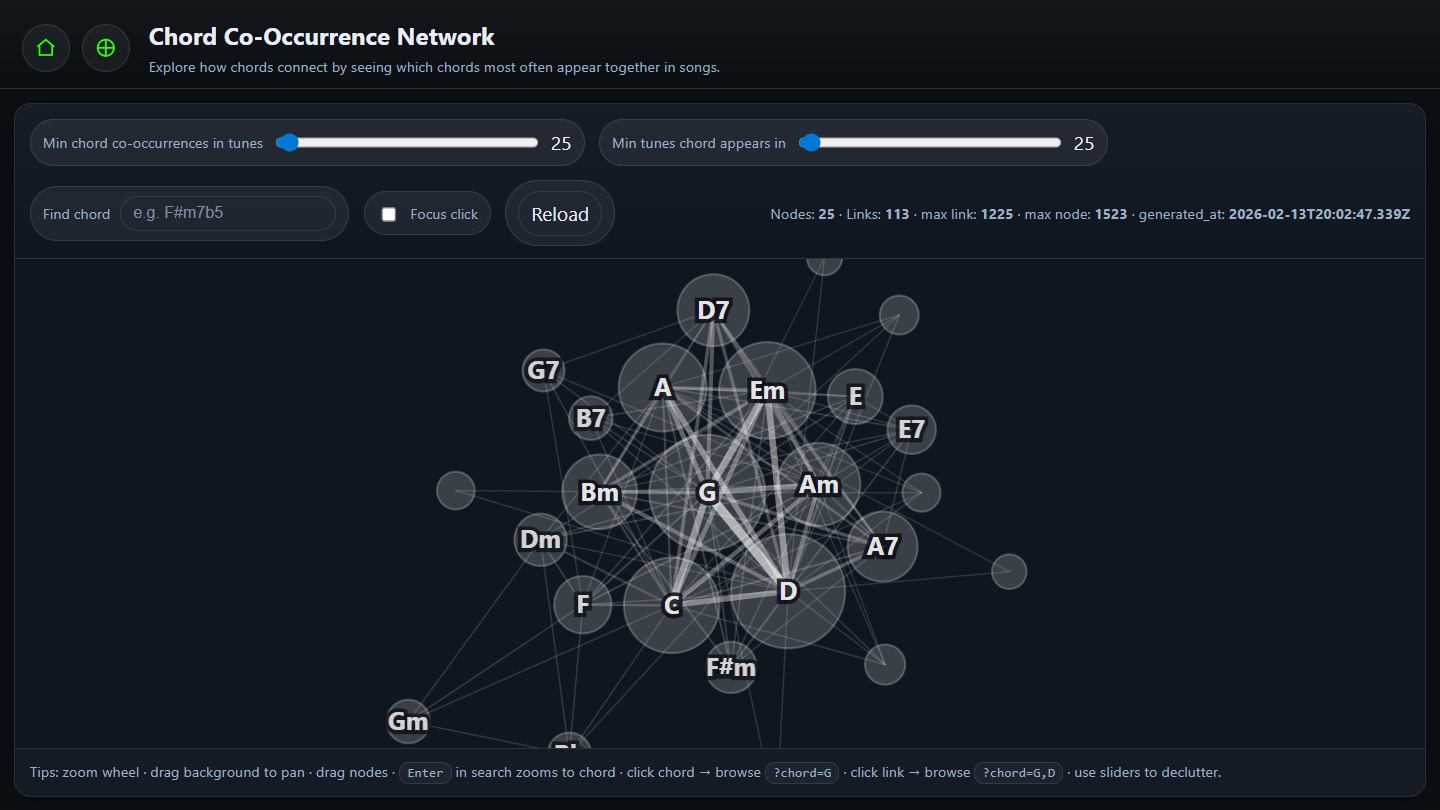
Using the sliders to declutter
At the top of the network page you’ll find two key controls:
- Min chord co-occurrences in tunes
- Min tunes chord appears in
Min chord co-occurrences
Raise this to remove weak links and reveal only strong harmonic partnerships. Lower it to surface rarer combinations.
Min tunes chord appears in
Raise this to remove rare chords and focus on foundational harmony. Lower it to explore niche chords and colorful edges.
If the graph looks chaotic, raise thresholds until you can read structure. You can always loosen them later.
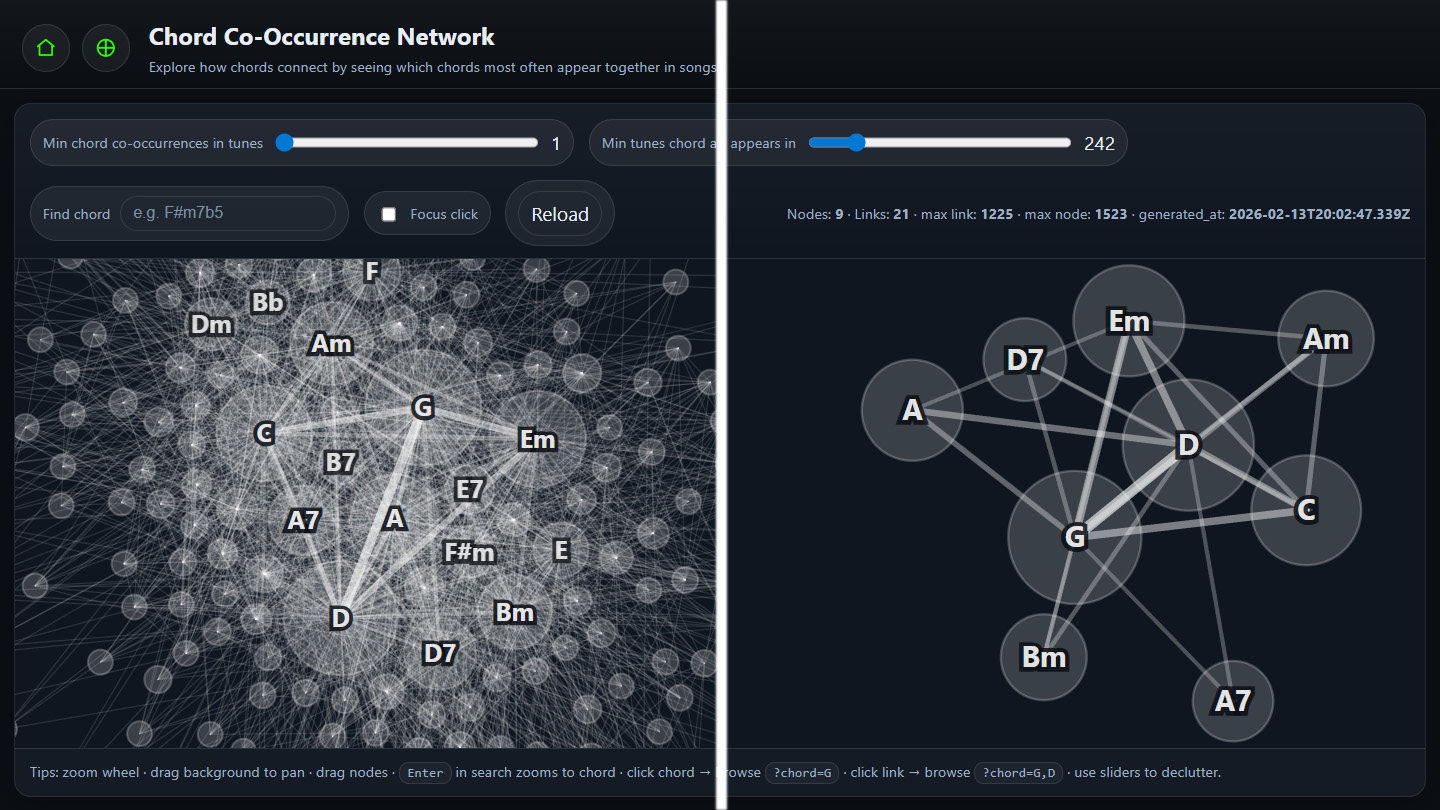
Finding the harmonic core of trad music
Try this quick experiment:
- Set Min chord co-occurrences to around 25–30.
- Set Min tunes chord appears in to around 25–50.
You’ll start to see a tighter structure emerge – the harmonic “spine” of the repertoire: common functional families, relative minors, and stable chord neighborhoods.
Exploring one chord in depth
Use the Find chord box. Type something like
Am and press Enter. The network
will zoom and highlight that chord.
From there you can:
- See its strongest harmonic companions.
- Click around the neighborhood to discover chord “friends”.
- Enable Focus click to isolate a chord and its neighbors (click empty space to clear).
If you search for a rare chord while thresholds are high, it may vanish. Lower Min tunes chord appears in first, then search again.
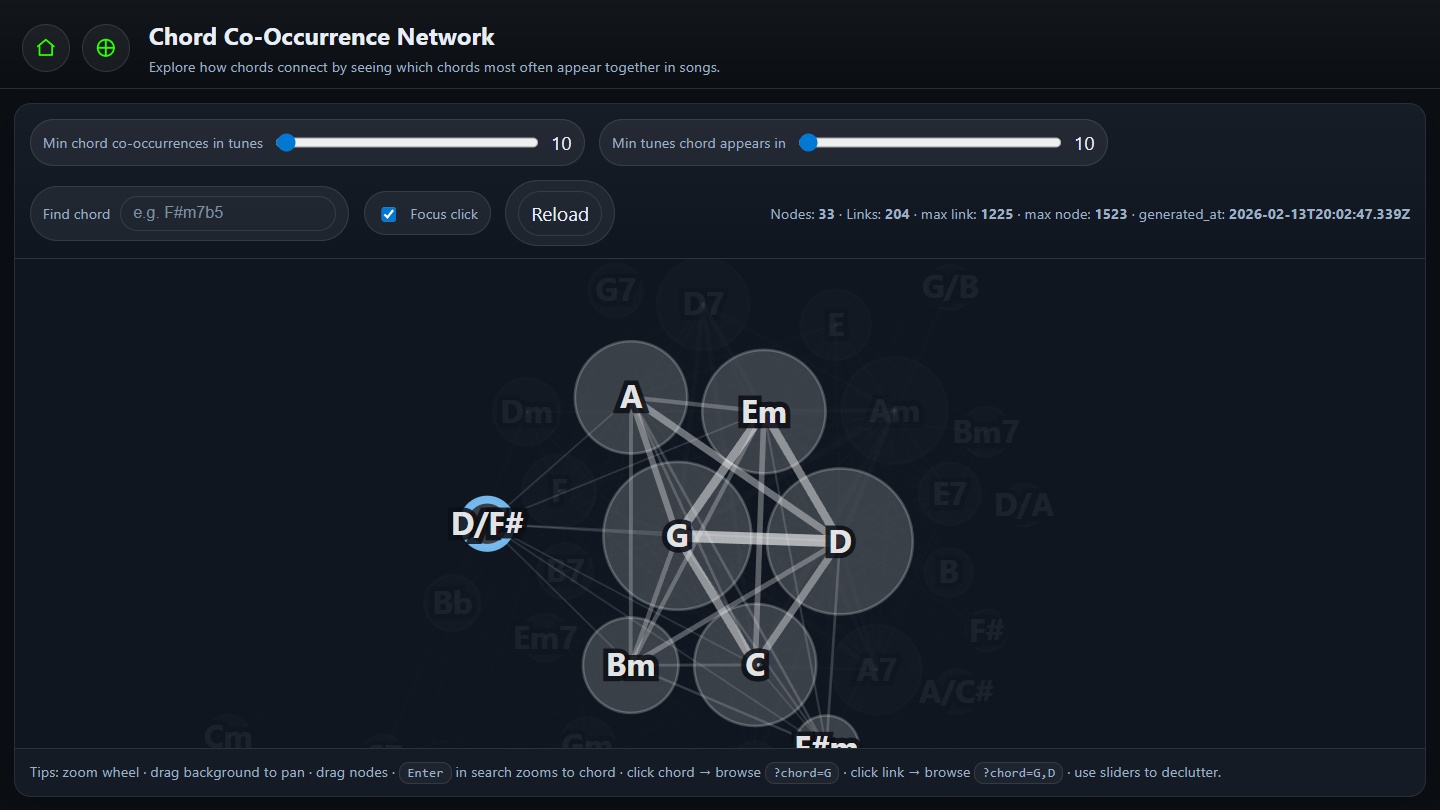
A repeatable 5-minute workflow
Use this whenever you want harmonic inspiration:
- Search for a chord you’re practicing.
- Enable Focus click and click the chord to isolate its neighborhood.
- Raise thresholds slightly to clean the view.
- Identify 3–5 strongest connections.
- Open tunes that use those combinations (or use the network as a guide for setlist harmony).
Try the same workflow for two different chords (e.g.,
D vs Em) and compare neighborhoods.
You’ll quickly see how major and minor worlds overlap in the
repertoire.
FAQ
Does this show chord transitions?
Not directly. It shows chords that appear together in the same tune (co-presence), not their order. Think “harmonic ecosystem”, not “progression timeline”.
Why are some chords at the edges?
They’re rarer or more specialized. Often these are modal colors, borrowed chords, or less common harmonic additions.
Why does the graph sometimes look chaotic?
Harmony is dense. Use the sliders to declutter: raise thresholds until the structure becomes readable.
How is this different from Song Galaxy (UMAP)?
Song Galaxy maps tunes by chord vocabulary similarity. The Chord Network maps chords by shared usage across tunes. One maps tunes; one maps harmony. Together they give macro + micro perspectives.
Open the Chord Co-Occurrence Network, pick a chord you use often, and raise thresholds until you can see the backbone. Then ask: what chords define the harmonic identity of this tradition?
Try it now: Chord Co-Occurrence Network